If you're a business analyst responsible for mapping out how different departments, systems, or organizations interact, you already know that a single-process diagram doesn't cut it. Business operations rarely happen in isolation they span across teams, handoffs, and external partners. That's exactly where BPMN 2.0 collaboration diagrams come in. They give you a standardized way to model the conversation between two or more independent processes, making it clear who does what and where the handoffs happen. Getting these diagrams right means fewer misunderstandings, smoother stakeholder alignment, and requirements that developers and architects can actually build from. Getting them wrong means confusion, rework, and diagrams nobody trusts. This article walks you through the best practices that matter most when you're drawing collaboration diagrams as a business analyst.
What exactly is a BPMN 2.0 collaboration diagram?
A BPMN 2.0 collaboration diagram (sometimes called a choreography or cross-pool diagram) shows two or more processes represented as pools communicating through message flows. Each pool contains its own internal process (called a private process), and the message flows between pools represent the actual messages, documents, signals, or data exchanges that cross organizational boundaries.
Unlike a simple process diagram that shows one lane of activity, a collaboration diagram is built for situations where you need to show interactions. Think of a company sending a purchase order to a supplier, the supplier confirming stock, and then shipping goods back. Each side has its own process logic, and the collaboration diagram captures both sides plus the messages that connect them.
Each pool in BPMN represents an independent participant a department, a company, a system, or even a role. The message flows (dashed lines with open arrowheads) between pools show what crosses that boundary. If you need a refresher on the specific symbols used, our BPMN notation symbols guide covers each one in detail.
When should a business analyst use a collaboration diagram instead of a regular process diagram?
You don't always need a collaboration diagram. If you're modeling a single team's workflow say, how an accounts payable clerk processes invoices a single-pool process diagram is usually enough. But reach for a collaboration diagram when:
- Multiple parties are involved two departments, a company and its vendor, or an application and a third-party API.
- Handoff clarity matters you need to show exactly when responsibility moves from one participant to another.
- You're defining integration requirements developers need to know what messages are expected, in what order, and with what triggers.
- Contractual or SLA-driven processes exist when timing and obligations between parties need to be explicit.
- You're resolving cross-functional confusion teams disagree about who does what, and you need a neutral visual reference to settle it.
As a practical rule, if you find yourself drawing multiple swim lanes within a single pool and labeling them with names from completely different teams or organizations, you probably need separate pools and that means you're building a collaboration diagram.
How do you structure a BPMN 2.0 collaboration diagram correctly?
Structure matters more in collaboration diagrams than in single-process diagrams because there are more moving parts. Here's how to set yourself up for success.
Give each independent participant its own pool
This is the most fundamental rule. Each pool represents one self-governing participant. Don't put two separate organizations in the same pool. If your company interacts with a logistics provider, those are two pools not two lanes in one pool. Lanes within a pool indicate subdivisions of the same participant (like roles within the same department).
Use clear, specific pool names
Label your pools with names that any stakeholder can recognize immediately. "Customer" and "E-Commerce Platform" beat "Participant A" and "Participant B" every time. If the audience is internal, use team names or system names they already know.
Keep message flows between pools, not inside them
Message flows connect different pools. Sequence flows (solid lines) stay within a single pool. Mixing these up is one of the most common BPMN errors, and it makes the diagram semantically wrong not just messy.
Use intermediate message events to represent send and receive
Within each pool's process, use message catch events (to show waiting for a message) and message throw events (to show sending a message). These pair with the message flows crossing between pools. For a quick reference on these symbols, the notation reference sheet lists them alongside other event types.
Show the trigger and the response
Good collaboration diagrams tell a story: something happens on one side, a message crosses the boundary, and something happens on the other side. Make sure every message flow connects a meaningful action or event not just floating arrows between pools with nothing inside.
What are the most common mistakes business analysts make with collaboration diagrams?
After reviewing hundreds of collaboration diagrams in workshops and audits, these errors come up again and again:
- Putting separate organizations in the same pool with different lanes. Lanes are for subdivisions of one participant, not for different organizations. If the two sides can operate independently, they need separate pools.
- Drawing message flows to tasks instead of events. While BPMN technically allows message flows to connect to task boundaries, using intermediate message events is much cleaner and easier to read.
- Overloading one diagram. Trying to show every exception, error path, and edge case in a single collaboration diagram makes it unreadable. Break it into focused scenarios.
- Ignoring the "black box" option. Not every pool needs to show its internal process. If you only care about what one side sends and receives, leave the other pool empty (a black box pool). This is especially useful when modeling external partners whose internal process you don't control.
- Forgetting message return paths. If a customer sends an order, they usually expect a confirmation. Make sure the diagram shows the response message, not just the outbound request.
- No consistent naming convention. Mixing "PO sent," "Purchase Order," and "Order Document" as labels for the same message creates confusion fast.
Avoiding these mistakes doesn't require advanced modeling skills it requires discipline and a clear understanding of what each symbol actually means. Our usage guide for BPMN symbols breaks down the semantics behind each element if you need a refresher.
How detailed should the internal process inside each pool be?
This depends on your audience and purpose. Here's a practical framework:
- For stakeholder alignment and requirements gathering: Show the happy path with key decision points. You don't need every error handler and exception flow. Focus on the messages and handoffs that matter for the business conversation.
- For developer handoff: Add more internal detail include message formats, conditional branching based on data, and timer events if timing matters. Developers need to know what triggers each message and what happens if a message doesn't arrive.
- For external partner documentation: Often a black-box approach works best. Show only the messages your organization sends and expects to receive, with clear labels and timing notes. Let the partner model their own side.
A good rule of thumb: if a detail doesn't affect the cross-boundary interaction, it probably doesn't belong in the collaboration diagram. Move it to a detailed internal process diagram for that specific pool.
How do you handle error paths and timeouts in a collaboration diagram?
Error handling in collaboration diagrams works the same way as in single-process diagrams, but with an extra layer you need to think about what happens when a message doesn't arrive or arrives wrong.
Common patterns include:
- Timer intermediate events attached to a message catch event. If the expected response doesn't come within a defined period (e.g., 48 hours), the process takes an escalation path. This is useful for SLA-driven processes.
- Error boundary events on tasks that send messages. If the send fails (system error, invalid format), the error event triggers a compensating action or alert.
- Conditional gateways after receiving a message. Once a response arrives, a gateway checks whether the response is an acceptance, rejection, or partial fulfillment, and routes accordingly.
Don't try to show every possible error on your first version. Start with the happy path, validate it with stakeholders, then layer in exception handling based on what they tell you actually goes wrong in practice.
What are the best practices for presenting collaboration diagrams to stakeholders?
A technically correct diagram that nobody understands is useless. Here's how to make your collaboration diagrams land with business audiences:
- Walk through the diagram as a story. Start at the beginning of one process, follow the message flow, and narrate what happens on each side. People follow stories better than they follow symbols.
- Use color deliberately. Light shading inside pools can help distinguish participants. You can also use color to highlight the message path you're discussing at any given moment especially useful in workshops.
- Limit the number of message exchanges per diagram. If your collaboration has more than six to eight message flows, consider splitting it into sub-diagrams or using call activities to manage complexity.
- Add annotations. BPMN allows text annotations connected by associations. Use them to explain business rules, data formats, or timing expectations that the symbols alone don't convey.
- Version your diagrams. Stakeholders will suggest changes. Label each version with a date or version number so everyone knows which diagram is current.
If your audience is less familiar with BPMN notation, consider sharing our process diagram examples as a warm-up before diving into the collaboration view.
How do collaboration diagrams connect to other BPMN diagram types?
Collaboration diagrams don't live in isolation. They're part of a broader BPMN ecosystem that includes:
- Process diagrams the detailed internal workflow within a single pool. Once you've agreed on the collaboration-level interactions, you break each pool into its own detailed process diagram.
- Choreography diagrams these focus only on the message exchanges between participants without showing internal processes. Use them when you want a higher-level, participant-neutral view of the interaction protocol.
- Conversation diagrams the most abstract level, showing which participants are involved in which conversations (message exchanges) without any sequence or timing detail. Useful for initial scoping.
As a business analyst, you might start with a conversation diagram to scope the interaction, move to a collaboration diagram to define the sequence, and then hand off individual pools as detailed process diagrams to development teams. This layered approach keeps each diagram focused and readable.
What tools work best for drawing BPMN 2.0 collaboration diagrams?
Several tools support BPMN 2.0 collaboration diagrams properly. The key requirement is that the tool enforces BPMN 2.0 semantics not just pretty shapes, but actual rules about what can connect to what.
Tools worth evaluating include:
- Camunda Modeler free, open-source, and enforces proper BPMN 2.0 rules. Good for teams that also need to execute the models.
- BPMN.io a browser-based modeling library that produces clean, standards-compliant diagrams.
- Signavio a collaborative, cloud-based platform with strong validation features. Well-suited for enterprise teams.
- Bizagi Modeler free desktop tool with solid BPMN 2.0 support and export options.
- Microsoft Visio with BPMN stencil widely available but be cautious: Visio doesn't enforce BPMN rules, so it's easy to create technically invalid diagrams.
Whichever tool you choose, make sure it exports to the standard BPMN 2.0 XML format if there's any chance the models will be consumed by process engines or other tools later.
Quick checklist for your next BPMN 2.0 collaboration diagram
Use this checklist before you share any collaboration diagram with stakeholders or development teams:
- Each independent participant has its own pool with a clear, recognizable name.
- Message flows only connect different pools never within the same pool.
- Intermediate message events (catch and throw) are used instead of loose message flows pointing at tasks.
- Every message flow connects a meaningful send action to a meaningful receive action.
- Black-box pools are used where you don't need to show the other party's internal process.
- Error paths and timeouts are modeled for critical message exchanges (at minimum, the ones with SLA implications).
- The diagram tells a clear story from start to finish that you can walk through verbally in under five minutes.
- Naming conventions for messages, events, and activities are consistent across all pools.
- The diagram has been reviewed by at least one person from each participating team or organization.
- A version number and date are visible on the diagram or in the file metadata.
Print this list. Keep it next to your modeling tool. It'll save you from the most common rework cycles and help you produce collaboration diagrams that actually drive alignment between teams.
 Bpmn Notation Reference Sheet for Enterprise Architecture Teams
 How to Read Bpmn Event Gateway and Activity Codes in Workflow Mapping
 Bpmn Process Diagram Examples for Software Developers
 Bpmn Notation Symbols: Complete Guide to Meanings and Usage
 Flowchart Codes for Business Process Mapping: a Complete Guide
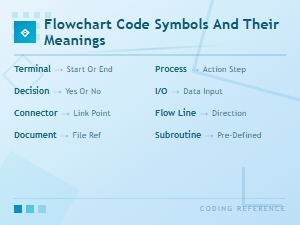 Flowchart Code Symbols and Their Meanings: a Complete Visual Guide